
Secure updates without business disruption.

Proactive patching helps reduce recurring IT issues by 25-40%.

CTS keeps devices updated with under 1-hour response support.

24/7 monitoring helps catch update issues before work is disrupted.

Tested update scheduling supports predictable monthly IT management.

Real technician support resolves issues in 5.35 hours on average.
See why businesses rely on CTS for accountable, proactive IT management.

CTS completely transformed how we manage IT. Their proactive monitoring and fast response eliminated downtime and gave us confidence in our systems. We no longer worry about security or daily tech issues – our team can finally focus on growth.
If you’re seeking a managed IT partner that delivers reliability, security, and peace of mind, look no further than Complete Technology Solutions (CTS). We were looking for a change that would help us feel more secure and supported for growth. CTS quickly filled the gaps of our previous provider and updated our systems and processes quickly. This team is one of the most friendly, understanding we have ever dealt with. I also really appreciate that they will take the time to explain technical situations so that we can make the best choice. Highly Recommend.
We’ve had an outstanding experience with this IT company! Their service is consistently top-notch, and their response time is incredibly fast—exactly what you want when dealing with tech issues. A special shoutout to Elias and Michael for their continued support. They’ve gone above and beyond to answer our questions and provide solutions whenever we need them. It’s clear they genuinely care about keeping everything running smoothly. I highly recommend it!
What stands out about CTS is their proactive approach. They don’t just fix problems—they prevent them. Our systems run smoother, our team is more productive, and we’ve seen a major drop in unexpected IT disruptions.
I have been with CTS for over 10 years. I have found them to always put the customer first and to respond quickly in the event of any problem. They are highly skilled, fair priced and honest people doing a tremendous job.

Complete Technology Systems replaced reactive IT concerns with proactive monitoring, fast response, and stronger operational confidence.
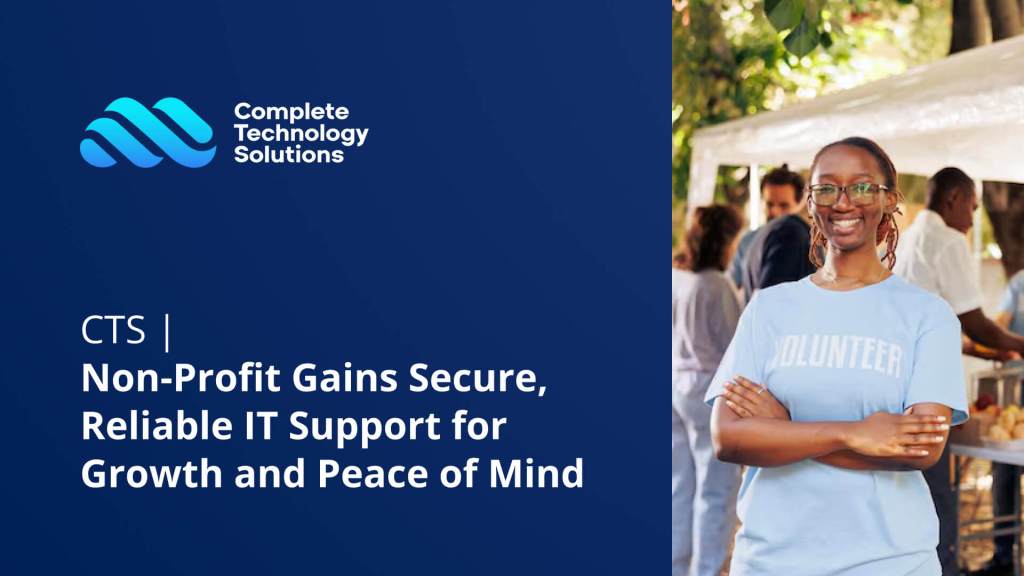
Complete Technology Solutions helped a non profit replace provider gaps with reliable support and clearer IT decisions.

A non-profit organization gained fast, dependable IT support that helps resolve issues and keep work moving.






Proactive update control
Every unpatched endpoint can become a source of downtime, support tickets, or security exposure. CTS manages endpoint updates with a practical process that keeps laptops, desktops, and supported devices current without leaving users to figure it out alone.
You get update tracking, deployment oversight, and real technician support when something fails. The result is a cleaner device environment, fewer recurring issues, and stronger day-to-day reliability for teams that depend on their workstations.
Server updates need more planning than routine workstation patches. CTS helps coordinate server patching around business operations, backup readiness, and system availability so critical workloads are not disrupted unnecessarily.
This includes reviewing update needs, scheduling maintenance windows, monitoring outcomes, and responding quickly if a patch affects performance. The goal is simple: keep core systems secure, stable, and aligned with predictable IT management rather than reactive cleanup.
Microsoft environments and business applications often need regular updates to stay secure, compatible, and productive. CTS supports patch management for software that your team relies on every day, including Microsoft solutions and other managed applications where applicable.
Instead of letting updates pile up or interrupt work at the wrong time, patching is handled through a controlled process. Your team benefits from fewer version conflicts, better performance, and support when update-related questions appear.
Not every patch carries the same urgency. CTS reviews update needs through an operational risk lens, helping prioritize security fixes, stability improvements, and known issue remediation based on potential business impact.
This keeps attention focused where it matters most. High-priority updates can be addressed quickly, while routine patches are scheduled in a way that supports productivity. You get a clearer, more accountable approach than blanket updates or inconsistent manual installs.
Patch management should be visible, not hidden until something breaks. CTS monitors for failed updates, missing patches, device health concerns, and recurring patterns that may point to larger IT issues.
With proactive monitoring and network health reporting, you can understand where systems are improving and where additional attention is needed. This helps reduce repeat support tickets and supports the 25-40% reduction in recurring IT issues clients can see within the first 3-6 months.
Even well-planned updates can sometimes create user issues, application errors, or device performance problems. CTS backs patch management with real technician support, so your team has help when an update does not behave as expected.
Support is tied to under 1-hour guaranteed response, a live answer promise, and a 5.35-hour average issue resolution time. That means patching is not just deployed, it is supported from detection through resolution.








Software updates should not depend on someone remembering to click install. Complete Technology Solutions manages patching as part of a proactive endpoint strategy, so laptops, desktops, servers, and business applications stay more secure and dependable.
You get a structured process for reviewing updates, prioritizing risk, scheduling deployment, and responding quickly if a patch causes an issue. That means fewer recurring disruptions, fewer exposed systems, and more predictable operations for your team.
With 24/7 monitoring, under 1-hour guaranteed response, and real technician support, patch management becomes a controlled business function instead of a last-minute scramble.
Patch management works best when it is consistent, visible, and tied to business risk. CTS helps you avoid the common gaps that happen when updates are handled manually or only after a problem appears.


Patch management is not just a security task. It affects productivity, support volume, uptime, and the trust your team has in their devices. When updates are delayed, employees deal with crashes, compatibility issues, and avoidable security exposure.
Complete Technology Solutions helps prevent problems before they occur by aligning patching with proactive monitoring, endpoint management, and helpdesk support. Your team gets a service experience similar to having a full in-house IT department, without the overhead.
For internal IT teams, CTS can also amplify your staff by handling patch follow-through, monitoring, and escalation support when priorities compete.
Get a written assessment with practical patching recommendations.
You get a structured process that covers reviewing, prioritizing, and deploying updates for all supported devices, laptops, desktops, servers, and business applications. Every patch is monitored to ensure it installs properly, and failed or delayed updates are flagged for immediate attention. Real technician support is available if a patch causes issues, so you avoid the disruptions that come from manual or missed updates.
Consistent patch management helps address vulnerabilities and bugs before they cause problems for your team. By proactively updating endpoints and monitoring for failed patches, you can see a 25, 40% reduction in recurring IT issues within the first 3, 6 months. This means fewer support tickets, less downtime, and a more reliable technology environment for your business.
When a critical or failed patch is detected, you receive rapid response from a real technician, typically within one hour. The issue is assessed, and if needed, remediation steps are taken immediately to prevent business disruption. Regular reporting keeps you informed about the health of your systems and any patch-related risks.
The average onboarding time is 30 days from initial assessment to full deployment of patch management. During this period, all supported devices are reviewed, a tailored update schedule is set, and you receive a written assessment with clear next steps. Monthly pricing starts at $1,000, keeping your costs predictable and manageable.
You benefit from a customer-first approach that guarantees under one-hour response, 24/7 monitoring, and real technician support. Metrics show a 70, 75% first-call issue resolution rate, 5.35-hour average resolution time, and a 99% client retention rate. Written guarantees, including a 90-day money-back promise, help ensure your patching process is proactive, accountable, and tailored to your business needs.