
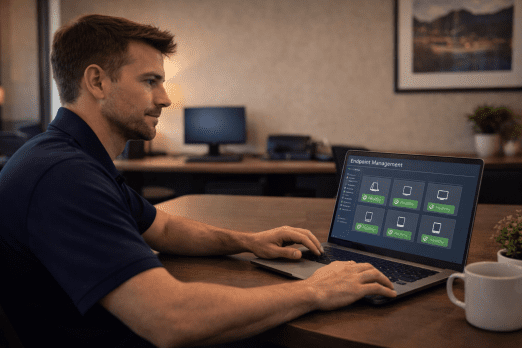
Every Device Is a Doorway
Your employees use laptops at coffee shops. They check email on their phones. They connect personal devices to your network. Each of these endpoints represents a potential doorway for attackers — and most businesses have dozens of them.
We’ve seen what happens when endpoints aren’t managed properly. Unpatched laptops become ransomware entry points. Lost phones expose company data. Aging workstations slow productivity to a crawl while IT providers shrug and say “it’s old.”
At Complete Technology Solutions, endpoint management isn’t an afterthought. It’s where Mastery — one of our I.M.P.A.C.T. values — meets the real world of your business.
What Endpoint Management Covers
CTS endpoint management protects every device that connects to your business:
Workstations and Laptops: Whether in the office or working remotely, we ensure every computer is patched, protected, and performing well.
Mobile Devices: Smartphones and tablets that access company email and data need proper security configuration and monitoring.
Servers: Your most critical systems get the most careful attention — regular maintenance, security hardening, and continuous monitoring.
Network Devices: Firewalls, switches, and access points are endpoints too. We keep them updated and properly configured.
The Security Side of Endpoint Management
Endpoints are where most attacks begin. A phishing email lands on a workstation. Malware gets downloaded to a laptop. A compromised phone connects to the network. CTS endpoint management includes multiple layers of protection:
- Next-generation antivirus that detects sophisticated threats traditional AV misses
- Endpoint Detection and Response (EDR) for advanced threat hunting
- Patch management keeping all software current and vulnerabilities closed
- Application control preventing unauthorized software from running
- Device encryption protecting data if a device is lost or stolen
- USB and peripheral control preventing data exfiltration
Our $15,000 ransomware recovery guarantee applies to endpoints we manage because we’re confident in our protection.
The Performance Side of Endpoint Management
Security matters, but so does productivity. Slow, glitchy computers frustrate employees and waste time. CTS endpoint management keeps devices running well:
- Regular performance optimization and cleanup
- Proactive hardware health monitoring
- Software standardization and update management
- Remote troubleshooting and support
- Lifecycle planning for equipment replacement
When a device starts having problems, we often know about it before the employee does.
Endpoint Management focuses on what’s on the device and how it’s configured. Threat detection on those same endpoints is a separate engagement — see EDR. The broader security strategy that ties endpoints, network, email, and identity together lives in Cybersecurity.
The Lifecycle Side of Endpoint Management
The server sitting in your closet is going to fail eventually. So is every workstation, every laptop, every printer. The question is whether you’ll know it’s coming and be prepared, or whether you’ll find out when everything stops working. CTS tracks the lifecycle of every managed device and plans for replacement before failure forces the issue.
- Inventory and asset tracking: What hardware exists, where it lives, when it was purchased, and what its warranty status is — all documented in IT Glue.
- Health monitoring: Real-time tracking of disk health, temperatures, error rates, and performance metrics through Datto RMM.
- Preventive maintenance: Scheduled work that extends device life and catches problems before they cascade.
- Replacement planning: Forecasting when hardware will need replacement so it shows up on a budget cycle, not in an emergency.
- Procurement: Sourcing the right hardware at competitive pricing through Dell and other manufacturer partner channels.
This applies across the SMB device stack:
- Servers: Performance optimization, security hardening, patch management, capacity planning, backup verification.
- Workstations: Standard configuration, performance tuning, security software, issue resolution, replacement planning.
- Printers and peripherals: Drivers, queues, supplies, scanner and copier support, vendor coordination when specialized work is needed.
Managing Remote and Hybrid Workforces
Modern businesses don’t have neat perimeters anymore. Employees work from home, from client sites, from airports. CTS endpoint management works regardless of location because our mission doesn’t change based on geography:
Never leave a client feeling alone with their technology challenges — wherever those challenges occur.
Accountability With Teeth
Words without consequences aren’t commitments — they’re just words. We back our endpoint management with real commitments:
- 99.9% uptime on managed endpoints — pro-rated credit if we miss
- Sub-1-hour response for endpoint issues
- $15,000 ransomware recovery promise
- 90-day money-back guarantee
Every device on your network is a potential vulnerability. With CTS endpoint management, they become strengths instead.
Frequently Asked Questions About Endpoint Management
What counts as an endpoint, and what does CTS manage?
What tools does CTS use to manage endpoints?
Can CTS manage employee BYOD (bring-your-own-device) phones and laptops?
How does CTS handle a lost or stolen device?
What's the lifecycle process for endpoint hardware?
Can CTS support remote employees the same as in-office?
Secure Every Device
Your employees work from laptops, phones, and tablets. CTS makes sure every single one is protected.